







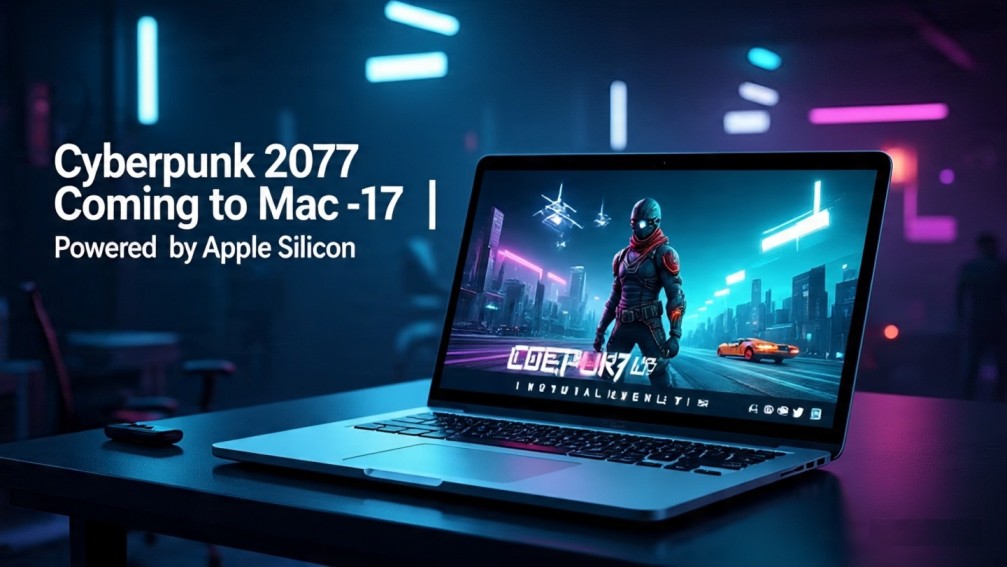
Gamers, get ready. One of the most popular open-world action RPGs of our time — Cyberpunk 2077: Ultimate Edition — is officially coming to Apple Silicon-powered Macs on July 17. Yes, that means if you own a MacBook Air, MacBook Pro, Mac Studio, or Mac mini with M1, M2, or M3 chips, you can finally dive into the neon-soaked streets of Night City — without Bootcamp or cloud streaming hacks.
This marks a major milestone for Mac gaming, bringing a full-fledged AAA title natively to Apple hardware — optimized for speed, performance, and rich visuals.
Let’s break down everything you need to know — from system requirements and features to what’s included in the Ultimate Edition.
🎮 What Is Cyberpunk 2077: Ultimate Edition?
Cyberpunk 2077 is a futuristic open-world role-playing game developed by CD Projekt Red, the makers of The Witcher series. Set in the dystopian city of Night City, you play as V, a customizable mercenary trying to survive in a world ruled by mega-corporations, hackers, gang wars, and cybernetic enhancements.
The Ultimate Edition is the most complete version of the game and includes:
-
The base game, fully updated with all patches and visual upgrades
-
The Phantom Liberty expansion, featuring new storylines, characters, weapons, and a spy-thriller vibe
-
All previously released DLCs, bonus items, and improvements from the 2.0 update
Essentially, this is the best and most polished version of Cyberpunk 2077 — and now, it’s coming natively to Apple Silicon.
🍎 Why This Launch Matters for Mac Users
For years, Mac users have been left out of serious AAA gaming. While indie games and a few older titles were available, anything graphically demanding — like Cyberpunk — was mostly off-limits.
That’s now changing thanks to Apple’s powerful M-series chips (M1, M2, M3). These chips:
-
Deliver desktop-class GPU and CPU performance
-
Support advanced graphics APIs like Metal 3
-
Enable features like MetalFX upscaling, making high-end games run smoother
-
Offer long battery life even during gameplay
CD Projekt Red optimized Cyberpunk 2077 using Apple’s game porting tools — ensuring it runs natively and efficiently on Apple Silicon, not through emulation.
🖥️ Minimum System Requirements
To run Cyberpunk 2077 smoothly on your Mac, you’ll need:
-
Mac with Apple Silicon chip (M1, M2, M3 or later)
-
macOS Sonoma 14.4 or newer
-
At least 16GB RAM
-
Recommended: MacBook Pro M1/M2/M3 or Mac Studio with 512GB SSD
-
70GB+ free disk space
⚠️ Intel-based Macs are not supported — this is exclusive to Apple Silicon.
🌆 What to Expect in Gameplay
Once you install the game, here’s what awaits:
🛠️ Character Customization
Design your own version of V — pick your gender, backstory, cyber-enhancements, and clothing style.
🧠 Deep RPG Mechanics
-
Choose your play style: guns blazing, stealth, hacking, or persuasion
-
Upgrade cyberware, skill trees, and gear
-
Make decisions that shape the story and ending
🚗 Explore Night City
-
A massive futuristic city with six diverse districts
-
Interact with gangs, corporations, fixers, and NPCs
-
Drive bikes, futuristic cars, and even take on bounty missions
🎯 Phantom Liberty Expansion
-
A brand-new spy-thriller story arc
-
New character “Solomon Reed” played by Idris Elba
-
A tense political plot inside a lawless zone called Dogtown
-
Additional weapons, quests, and upgrades
📈 Performance on Apple Silicon Macs
Early reports and tests show that:
-
On M2 Pro or M3 MacBook Pros, you get 60 FPS at Medium-High settings
-
On M1 Macs, you can expect playable 30–40 FPS at Medium settings
-
MetalFX Upscaling improves frame rates significantly without losing much visual quality
This means the game runs almost as well as on PS5 or Xbox Series X — all while on a MacBook with no fans spinning loudly.
🛒 Where to Buy and How Much It Costs
Cyberpunk 2077: Ultimate Edition will be available on the Mac App Store and CD Projekt’s official store (GOG.com) starting July 17, 2025.
💰 Pricing:
-
₹4,499 in India (estimated)
-
$59.99 in the US
-
Includes the base game + all DLC + Phantom Liberty
If you already own Cyberpunk 2077 on GOG for Windows, you may be eligible for a Mac version at no extra cost (TBC).
🧠 Tips for Mac Gamers New to AAA Titles
-
Use a controller – Xbox or PlayStation controllers pair perfectly via Bluetooth
-
Close background apps – Maximize RAM and GPU for smoother gameplay
-
Keep your Mac cool – Avoid direct sunlight or warm surfaces while gaming
-
Invest in an external SSD – Speeds up loading time if your internal drive is full
-
Use headphones – For an immersive, cinematic experience
🎮 What Gamers Are Saying
Gamers across platforms are excited:
“Never thought I’d play Cyberpunk on a MacBook Pro at full resolution. Unreal!”
“The Phantom Liberty DLC is worth every rupee — and now it’s on Mac? Day one download.”
“Apple Silicon is finally making gaming on Mac a real thing.”
🔮 What This Means for the Future of Mac Gaming
Cyberpunk 2077 isn’t just a game — it’s a statement. A title this complex and heavy running on Apple hardware proves:
-
Mac is no longer a “non-gaming” device
-
Developers are taking Apple Silicon seriously
-
More AAA games could come to Mac very soon, including Baldur’s Gate 3, Death Stranding, or Elden Ring
Apple is investing in tools like Game Porting Toolkit 2 and Metal 3 to make this easier for developers — and Cyberpunk is their flagship success.
🧾 Final Thoughts
Cyberpunk 2077: Ultimate Edition coming to Apple Silicon Macs is a game-changer — literally. It proves that modern Macs are powerful enough to handle the best games in the industry, not just casual or mobile-style titles.
With a full story campaign, next-gen graphics, and immersive gameplay — all in one sleek machine — this could finally turn Apple into a serious gaming platform.
If you’re a Mac user who loves gaming, July 17 is your day. Night City is calling — will you answer?
Related – Helldivers 2 Coming to Xbox Series X|S in August – Pre-Orders Now Open with Exclusive Bonuses


