







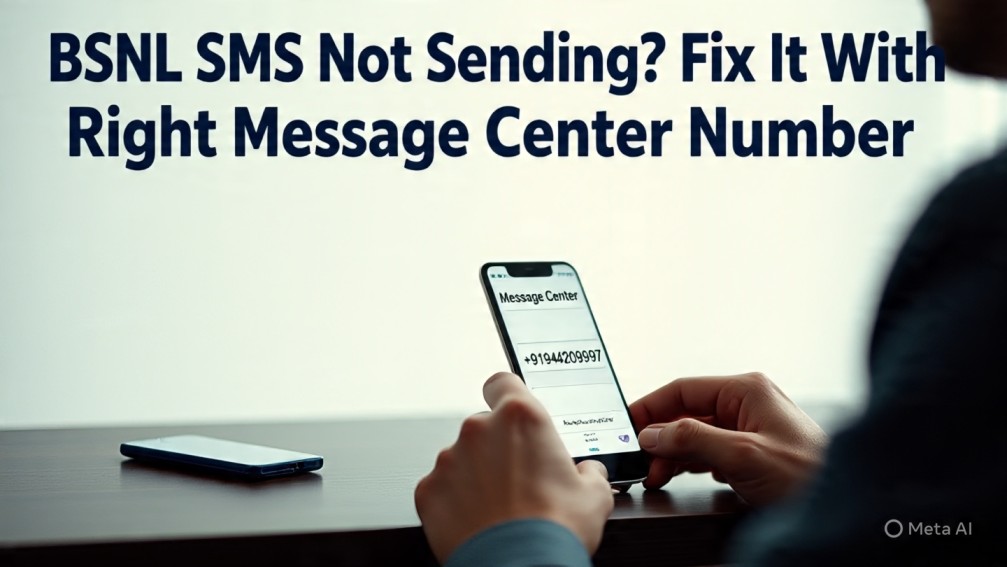
If you’re a BSNL mobile user and suddenly notice that your SMS messages aren’t being sent, the issue may not be with your network or phone — it could be due to an incorrect Message Center Number (SMSC).
Many users don’t realize that every SIM card is linked to a specific SMS center number, and if that number is wrong or accidentally deleted, you won’t be able to send texts, even with full signal.
In this article, we’ll explain what an SMS center number is, why it matters, how to check or update it, and share a complete state-wise list of BSNL SMS Center Numbers (for both prepaid and postpaid users across India).
📩 What Is a Message Center Number?
An SMS Center Number, or SMSC, is a unique phone number used by your mobile network provider to send and receive text messages on your behalf.
Whenever you send an SMS, it first goes to this SMSC, which then forwards it to the recipient. If this number is:
-
Missing
-
Incorrect
-
Damaged due to SIM reset or app error
Then your messages may fail to deliver, no matter how strong your signal is.
🛠️ How to Check or Set BSNL SMS Center Number on Your Phone
🔹 For Android Users:
-
Open the Phone app
-
Dial
*#*#4636#*#* -
Tap on Phone Information
-
Scroll to SMSC field
-
If it’s blank or incorrect, enter the correct BSNL SMSC number (see list below)
-
Tap on “Update” or “Set”
🔹 For iPhone Users:
Unfortunately, iPhones don’t allow users to edit the SMSC manually. You can try:
-
Re-inserting the SIM
-
Resetting network settings
-
Calling BSNL customer care (1503 or 1800-180-1503)
🗺️ Full List of BSNL SMS Center Numbers (State-Wise)
Below is a complete and updated list of BSNL SMSC numbers as per Indian states and telecom circles. Make sure you enter the correct number for your region:
| State / Circle | BSNL SMS Center Number |
|---|---|
| Andhra Pradesh | +919442099997 |
| Assam | +919435077777 |
| Bihar | +919431099997 |
| Chennai | +919444099997 |
| Delhi | +919212077777 |
| Gujarat | +919422099997 |
| Haryana | +919416099997 |
| Himachal Pradesh | +919418099997 |
| Jammu & Kashmir | +919419099997 |
| Karnataka | +919448099997 |
| Kerala | +919447099997 |
| Kolkata | +919433099997 |
| Madhya Pradesh | +919425099997 |
| Maharashtra | +919422099997 |
| Mumbai | +919823099997 |
| North East | +919436077777 |
| Orissa (Odisha) | +919437099997 |
| Punjab | +919417099997 |
| Rajasthan | +919414099997 |
| Tamil Nadu | +919443099997 |
| Telangana | +919442099997 |
| Uttar Pradesh (East) | +919415099997 |
| Uttar Pradesh (West) | +919412099997 |
| West Bengal | +919434099997 |
📝 Note: These numbers are generally the same for both prepaid and postpaid users. However, it’s always good to confirm with BSNL if unsure.
🧪 Why SMS Might Still Fail (Even With Correct Number)
Even with the right SMSC number, messages might still not send due to:
1. Insufficient Balance
-
Prepaid users need to have minimum balance or an active SMS pack
-
Postpaid users should make sure the bill isn’t overdue
2. Network Congestion or Outage
-
Sometimes, temporary network congestion (especially during festivals or emergencies) can delay message delivery
3. Message Format or App Errors
-
Special characters, long messages, or emojis can cause issues
-
Try sending a simple text like “Hello” as a test
-
Use the default SMS app (not 3rd-party apps like Truecaller or WhatsApp SMS fallback)
4. Dual SIM Settings
-
If you have a dual SIM phone, ensure BSNL is selected as the default SIM for SMS
✅ Tips to Fix SMS Issues on BSNL
If messages are still not going through, try these quick fixes:
-
Restart your phone
-
Turn Airplane mode on & off
-
Go to Settings > Network > Reset Network Settings
-
Reinsert the SIM properly
-
Contact BSNL Customer Support if problem continues
📞 BSNL Customer Care Contact
Need help with setting your SMSC or facing errors? You can reach BSNL:
-
From BSNL Number: Call 1503 (toll-free)
-
From Other Networks: Call 1800-180-1503
-
Email Support: Use BSNL’s regional websites or online complaint forms
Make sure to mention your circle/state, phone number, and device type.
🧾 Final Thoughts
The BSNL SMS Center Number is a small but critical piece of information that ensures your text messages are sent and received without issues. If your SMS service has suddenly stopped working, double-checking and correcting the SMSC number often solves the problem.
With the full state-wise list provided here, fixing this issue is now just a few taps away.
Related – How to Use Google Chrome’s New AI Tool to Write Better Content on the Web


