Close Menu
Gadgets 367
  • Home
  • Apps
  • Games
  • How To
  • Mobiles
  • Telecom
  • Contact Us
What's Hot

How to Play Online Fish Game and Find the Best Online Fishing Game Malaysia Experience

April 14, 2026

Why Some Node.js Projects Scale Smoothly While Others Collapse

April 2, 2026

Online A9play player options inside a Malaysian Online Gaming Platform

March 19, 2026
Facebook X (Twitter) Instagram Threads
Trending
  • How to Play Online Fish Game and Find the Best Online Fishing Game Malaysia Experience
  • Why Some Node.js Projects Scale Smoothly While Others Collapse
  • Online A9play player options inside a Malaysian Online Gaming Platform
  • Exciting Online Gaming Experience That Players Truly Enjoy
  • Explore Fun and Wins with Mega888 RM711 Online Casino
  • Exciting Ways to Enjoy Games at Jili Slot Casino Online
  • Understanding the Basics of Online Casino Access
  • Exciting Ways to Enjoy Online Casino Fun Safely
Gadgets 367Gadgets 367
  • Home
  • Apps
  • Games
  • How To
  • Mobiles
  • Telecom
  • Contact Us
Gadgets 367
Home | How To | How to Add Music to Your WhatsApp Status: A Step-by-Step Guide (No Extra Apps Needed!)
How To

How to Add Music to Your WhatsApp Status: A Step-by-Step Guide (No Extra Apps Needed!)

Avni KaurBy Avni KaurJune 23, 20253 Comments3 Mins Read14 Views
WhatsApp

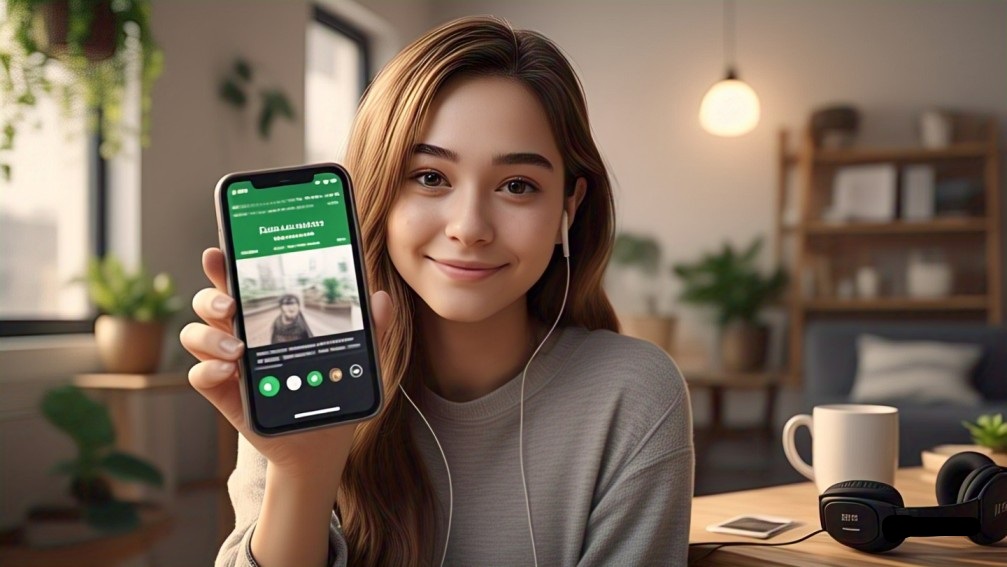
Ever watched someone’s WhatsApp status with music and thought, “How did they do that?” Good news — adding music to your WhatsApp status is actually super easy. Whether you want to post a vibe, a romantic tune, or a funny audio clip, here’s how you can add music to your WhatsApp status and make it more engaging, emotional, or just straight-up cool.

Let’s break it down!

Table of Contents

Toggle
  • ✅ Method 1: The Easiest Way (No App Needed)
      • 🔹 Step-by-Step:
  • ✅ Method 2: Using a Video With Music Already Added
      • 🔹 Step-by-Step:
  • 🔊 Pro Tip: Volume Matters
  • 💡 Bonus Idea: Use Music Lyrics as Captions
  • 🤔 FAQs
  • 📱 Final Words

✅ Method 1: The Easiest Way (No App Needed)

If you just want background music while posting a video status — this trick works like magic.

🔹 Step-by-Step:

  1. Open the Music App (like Spotify, YouTube Music, Apple Music, etc.)

  2. Play the Song You Want – Make sure it’s loud and clear.

  3. Minimize the Music App (don’t pause the song)

  4. Open WhatsApp and go to Status tab.

  5. Tap ‘My Status’ > then tap the camera icon.

  6. Now, record a video (you can aim the camera at anything — even a black screen if you just want audio).

  7. While recording, your phone will capture the music playing in the background.

  8. Add text, emoji, or filters if you want, then post it.

That’s it! 🎉
It’ll sound like the music is built right into the video.

✅ Method 2: Using a Video With Music Already Added

If you want better quality or something more professional-looking, try this:

🔹 Step-by-Step:

  1. Use any video editor on your phone like:

    • InShot

    • CapCut

    • VN Editor

    • Adobe Rush

  2. Create a short 30-second clip (the limit for WhatsApp status).

  3. Add music to the clip using the app’s built-in tools.

  4. Save the video to your gallery.

  5. Open WhatsApp > Status > Camera Icon.

  6. Select the edited video and post it.

This gives you clean audio and cool editing options — ideal for stories with effects, transitions, and lyrics.

🔊 Pro Tip: Volume Matters

If you’re using Method 1, make sure your surroundings are quiet and your music is loud enough. WhatsApp records external audio while capturing a video — so the clearer the environment, the better your status sounds.

💡 Bonus Idea: Use Music Lyrics as Captions

Want to post a status with a vibe but no video? Just:

  • Type out a lyric line

  • Add a matching emoji or background color

  • Pair it with the music trick

It creates a storytelling effect — and it looks aesthetic too.

🤔 FAQs

Q: Can I add music to a photo status?
A: Not directly. But you can turn your photo into a short video using editing apps, then add music and upload it.

Q: Will people hear the music if they have sound off?
A: No — like any video, they need to have volume on.

Q: Can I use copyrighted music?
A: For personal status updates, yes. But avoid using full copyrighted songs in public or promotional posts to stay safe.

📱 Final Words

Whether you’re posting a throwback moment, a love song, or just setting the mood — adding music to your WhatsApp status instantly makes it more expressive and engaging.

No fancy apps or tech skills needed — just your phone, your favorite song, and a little creativity. 🎧

Related – Airtel 5G SIM Activation Made Easy: Complete Instructions for New Users

Previous ArticleRip and Tear Like Never Before: Why Doom: The Dark Ages Is a Brutal Masterpiece
Next Article BSNL to Launch Affordable 5G Wi-Fi Plans With 100Mbps Speed — Here’s What You Need to Know
Avni Kaur
  • Website

Writer

Related Posts

Benefits Of Hiring Commercial Construction Contractors

November 4, 2025

earnstark com: Unlocking Easy Ways to Earn Money and Master Tech Skills

October 27, 2025

Fake Business Warning: What Happens If You Answer 18665854494

October 4, 2025
View 3 Comments

3 Comments

  1. тегн binance акаунты on February 1, 2026 8:47 am

    I don’t think the title of your article matches the content lol. Just kidding, mainly because I had some doubts after reading the article. https://accounts.binance.info/zh-CN/register-person?ref=WFZUU6SI

  2. www.binance.com注册 on February 3, 2026 3:01 pm

    I don’t think the title of your article matches the content lol. Just kidding, mainly because I had some doubts after reading the article.

  3. binance code on February 19, 2026 11:17 pm

    I don’t think the title of your article matches the content lol. Just kidding, mainly because I had some doubts after reading the article.

Leave A Reply

Top Posts

BSNL Launches New Portal for Doorstep SIM Delivery With Self-KYC – Here’s How to Get Your SIM Easily!

June 25, 202575 Views

Apple iPhone Fold: Expected Design, Features Apple’s First Foldable Phone

July 30, 202535 Views

8448768343: Is It a Scam or Legit? Comprehensive 2025 Analysis

September 9, 202534 Views
Latest Reviews

Benefits Of Hiring Commercial Construction Contractors

DanielNovember 4, 20250

earnstark com: Unlocking Easy Ways to Earn Money and Master Tech Skills

HaileyOctober 27, 20250

Fake Business Warning: What Happens If You Answer 18665854494

HaileyOctober 4, 20250
Most Popular

BSNL Launches New Portal for Doorstep SIM Delivery With Self-KYC – Here’s How to Get Your SIM Easily!

June 25, 202575 Views

Apple iPhone Fold: Expected Design, Features Apple’s First Foldable Phone

July 30, 202535 Views

8448768343: Is It a Scam or Legit? Comprehensive 2025 Analysis

September 9, 202534 Views
Our Picks

How to Play Online Fish Game and Find the Best Online Fishing Game Malaysia Experience

April 14, 2026

Why Some Node.js Projects Scale Smoothly While Others Collapse

April 2, 2026

Online A9play player options inside a Malaysian Online Gaming Platform

March 19, 2026
Copyright © 2025. All Rights Reserved By Gadgets 367

Type above and press Enter to search. Press Esc to cancel.