







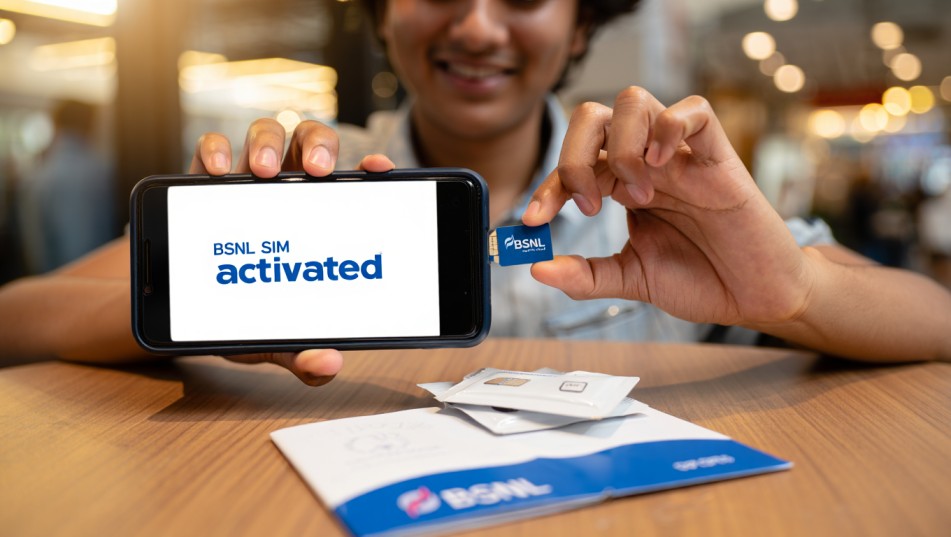
So, you’ve just received your BSNL SIM card — congratulations! Whether you’re switching networks, getting a fresh number, or just upgrading your phone, activating your BSNL SIM is the first step to getting connected.
But if you’re wondering what to do next — don’t worry. This guide will walk you through the entire Bharat Sanchar Nigam Limited SIM activation process, step by step, in a way that’s simple, clear, and stress-free. No confusing tech talk, no missing steps — just an easy-to-follow checklist to get you started.
Let’s go!
📦 Step 1: Check What’s in the SIM Pack
Your Bharat Sanchar Nigam Limited SIM pack usually includes:
-
The SIM card (full-size with micro and nano cutouts)
-
A welcome letter or leaflet with your new mobile number
-
Instructions for activation
-
Sometimes, a QR code for self-KYC or verification
Make sure your SIM card hasn’t been damaged, and don’t remove it until you’re ready to insert it into your phone.
📱 Step 2: Insert the SIM Card Into Your Phone
-
Power off your phone
-
Find the SIM card tray (usually on the side or back)
-
Insert your new BSNL SIM into the tray (use the correct size: nano/micro)
-
Power the phone back on
If your phone is dual SIM, insert the Bharat Sanchar Nigam Limited SIM into Slot 1 for better network support.
🔍 Step 3: Check for Signal & SMS
Once your phone restarts:
-
Look for the BSNL signal bars in the top corner of your screen
-
You might see a message that says “No Service” at first — this is normal
-
Within a few minutes, you’ll likely receive a welcome SMS from BSNL
Still not getting any signal? Wait for 5–10 minutes. If it still doesn’t show up, check:
-
Whether the SIM is inserted correctly
-
If your phone is unlocked and supports BSNL’s 2G/3G/4G bands
-
Try restarting the phone again
✅ Step 4: Complete KYC (Know Your Customer)
Option A: You Got the SIM From a BSNL Store
If you bought the SIM at a BSNL retail store or authorized outlet, chances are:
-
The store has already completed physical KYC
-
Your SIM should get activated in 15 minutes to 4 hours
-
You’ll receive an SMS once activation is done
Option B: You Ordered the SIM Online
If you received the SIM via BSNL doorstep delivery:
-
You will need to do self-KYC using the link or app provided
Here’s How:
-
Scan the QR code or use the link you received via SMS
-
Upload your ID proof and photo
-
Complete face verification if required
-
Submit the form and wait for confirmation
BSNL usually verifies KYC within 4 to 24 hours.
📞 Step 5: Tele-Verification (Only for Prepaid Users)
For BSNL prepaid SIMs, tele-verification is mandatory.
Here’s what to do:
-
Insert the SIM and dial 1507 (BSNL Verification Line)
-
Follow the IVR instructions
-
You’ll be asked to verify:
-
Your name
-
Your address
-
Your ID proof details (Aadhaar, Voter ID, etc.)
-
-
After successful verification, you’ll hear a confirmation message
Within minutes, your SIM will be fully activated, and network services will begin.
Note: Postpaid users may skip tele-verification if KYC is already complete.
🔁 Step 6: Restart Your Phone
Once you receive a message like “Your BSNL SIM is now active”, restart your phone once again. This helps in:
-
Refreshing the network connection
-
Ensuring proper data and SMS configuration
-
Resolving any temporary signal issues
🌐 Step 7: Turn On Mobile Data (Optional)
If you want to use BSNL mobile internet, turn on your mobile data.
In most cases, BSNL auto-configures your APN settings (Access Point Name). But if internet isn’t working yet:
Manually Set APN:
Go to your phone’s settings:
-
Settings > Network & Internet > Mobile Network > Access Point Names
-
Tap on “New APN” and enter the following:
-
Name: BSNLNET
-
APN: bsnlnet
-
MCC: 404
-
MNC: 38 (or as per your region)
-
Authentication type: None
-
APN type: default
Save and select this APN. Turn mobile data off and back on.
📦 Optional: Recharge to Activate a Plan
If your SIM doesn’t come with a pre-loaded plan, you may need to do a first recharge to start services like calls, SMS, and data.
You can recharge via:
-
BSNL official website
-
My BSNL App
-
Third-party apps (PhonePe, Google Pay, Paytm, Amazon Pay)
Look for First Recharge (FRC) plans like ₹107, ₹197, or ₹239 based on your usage.
🛠️ Still Not Working? Here’s What to Do
If you’ve followed all the steps but your Bharat Sanchar Nigam Limited SIM is still not active:
-
Check if your KYC was successfully submitted
-
Call BSNL Customer Care at 1503 from another number
-
Visit your nearest BSNL service center with your ID proof
They can help troubleshoot and re-verify your details.
🧠 Quick Tips for Smooth Activation
-
Always keep your ID proof and photo ready for KYC
-
Complete tele-verification within 48 hours of receiving the SIM
-
Insert the SIM in a 4G-supported, unlocked phone
-
Recharge with a plan if you want data, SMS, and voice services to start immediately
-
Restart your phone once everything is done — this solves many issues!
📌 TL;DR (Too Long, Didn’t Read)
How to Activate Your Bharat Sanchar Nigam Limited SIM:
-
Insert SIM in your phone
-
Wait for the signal and welcome SMS
-
Complete KYC (store or self-verification)
-
Call 1507 for tele-verification (prepaid only)
-
Restart your phone
-
Set APN if mobile data doesn’t work
-
Recharge with your desired plan
✅ Final Thoughts
Activating your Bharat Sanchar Nigam Limited SIM is simple and quick once you know the steps. Whether you’re switching networks, setting up a new number, or buying a SIM for a loved one — this guide ensures you’re connected without the confusion.
BSNL’s network is growing stronger every day, and now that your SIM is active, you’re all set to enjoy affordable plans, good rural coverage, and nationwide connectivity.
Related – Too Many Emails? Here’s How to Delete Gmail Emails in Bulk — Fast and Easy Methods You Can Use Today


